terraform を docker compose で使えるようにしたので terraform 完全に理解した!!
 AWS のリソースを構築する際にいつも手でポチポチやっていますが、
ふと Cognito くらいならユーザープール作るくらいだし。って思って、terraform をちょっと調べて使ってみました。
せっかくなので、調べたことをまとめました。
前提
準備編
docker compose の準備
https://hub.docker.com/r/hashicorp/terraform
[docker-compose.yml]
services:
  terraform:
    image: hashicorp/terraform
    container_name: terraform
    working_dir: /workdir
    volumes:
      - ~/.aws:/root/.aws:ro
      - ./tf:/workdir
実行すると terraform を叩いて返ってくるような Image になっているようです
terraform ファイルの準備
[tf/cognito.tf]
provider "aws" {
  region  = "ap-northeast-1"
}

resource "aws_cognito_user_pool" "pool" {
  name = "zako-pool"
}

resource "aws_cognito_user_pool_client" "client" {
  name = "zako-client"

  user_pool_id = aws_cognito_user_pool.pool.id
}
ディレクトリ構成
.
├── docker-compose.yml
└── tf
    └── cognito.tf
こういう状態
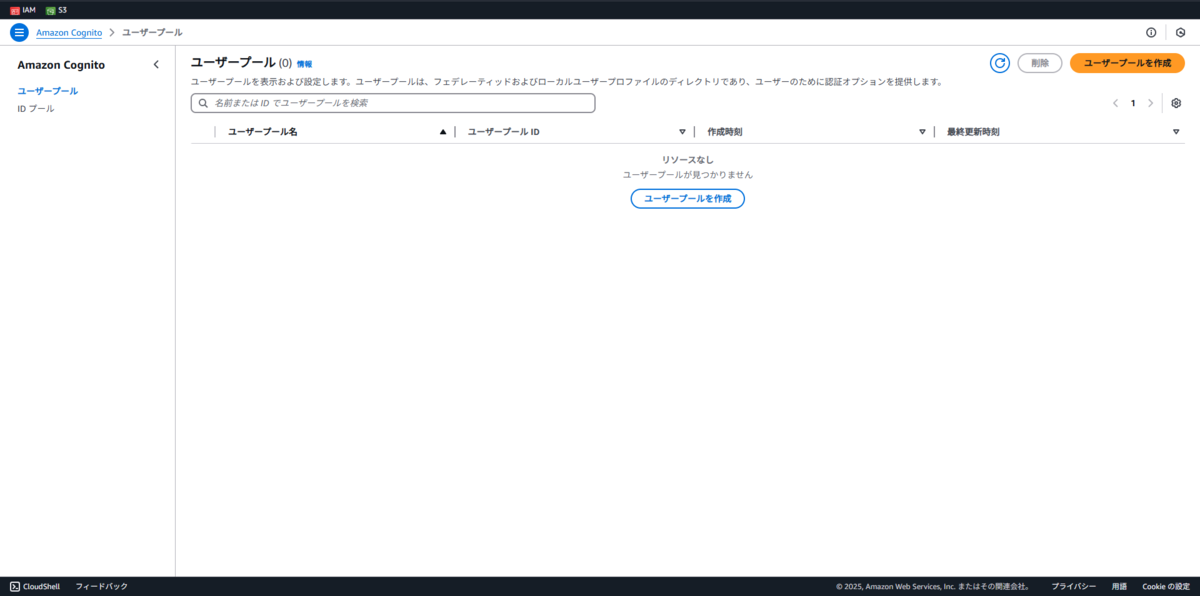
現在の Cognito 状態
Terraform 実行編
terraform init
terraform initとりあえず実行するコマンド
$ docker compose run --rm terraform init
Initializing the backend...
Initializing provider plugins...
- Finding latest version of hashicorp/aws...
- Installing hashicorp/aws v5.84.0...
- Installed hashicorp/aws v5.84.0 (signed by HashiCorp)
Terraform has created a lock file .terraform.lock.hcl to record the provider
selections it made above. Include this file in your version control repository
so that Terraform can guarantee to make the same selections by default when
you run "terraform init" in the future.

Terraform has been successfully initialized!

You may now begin working with Terraform. Try running "terraform plan" to see
any changes that are required for your infrastructure. All Terraform commands
should now work.

If you ever set or change modules or backend configuration for Terraform,
rerun this command to reinitialize your working directory. If you forget, other
commands will detect it and remind you to do so if necessary.
terraform plan
terraform plandryrun みたいなコマンド
$ docker compose run --rm terraform plan

Terraform used the selected providers to generate the following execution plan. Resource actions are indicated with the following symbols:
  + create

Terraform will perform the following actions:

  # aws_cognito_user_pool.pool will be created
  + resource "aws_cognito_user_pool" "pool" {
      + arn                        = (known after apply)
      + creation_date              = (known after apply)
      + custom_domain              = (known after apply)
      + deletion_protection        = "INACTIVE"
      + domain                     = (known after apply)
      + email_verification_message = (known after apply)
      + email_verification_subject = (known after apply)
      + endpoint                   = (known after apply)
      + estimated_number_of_users  = (known after apply)
      + id                         = (known after apply)
      + last_modified_date         = (known after apply)
      + mfa_configuration          = "OFF"
      + name                       = "zako-pool"
      + sms_verification_message   = (known after apply)
      + tags_all                   = (known after apply)
      + user_pool_tier             = (known after apply)

      + admin_create_user_config (known after apply)

      + password_policy (known after apply)

      + sign_in_policy (known after apply)

      + sms_configuration (known after apply)

      + verification_message_template (known after apply)
    }

  # aws_cognito_user_pool_client.client will be created
  + resource "aws_cognito_user_pool_client" "client" {
      + access_token_validity                         = (known after apply)
      + allowed_oauth_flows                           = (known after apply)
      + allowed_oauth_flows_user_pool_client          = (known after apply)
      + allowed_oauth_scopes                          = (known after apply)
      + auth_session_validity                         = (known after apply)
      + callback_urls                                 = (known after apply)
      + client_secret                                 = (sensitive value)
      + default_redirect_uri                          = (known after apply)
      + enable_propagate_additional_user_context_data = (known after apply)
      + enable_token_revocation                       = (known after apply)
      + explicit_auth_flows                           = (known after apply)
      + id                                            = (known after apply)
      + id_token_validity                             = (known after apply)
      + logout_urls                                   = (known after apply)
      + name                                          = "zako-client"
      + prevent_user_existence_errors                 = (known after apply)
      + read_attributes                               = (known after apply)
      + refresh_token_validity                        = (known after apply)
      + supported_identity_providers                  = (known after apply)
      + user_pool_id                                  = (known after apply)
      + write_attributes                              = (known after apply)
    }

Plan: 2 to add, 0 to change, 0 to destroy.

────────────────────────────────────────────────────────────────────────────────────────────────────────────────────────────────────────────────────────────────────────────────────────────────────────────────────────────────────────────────────────────────────────────────────────────────────────────────────────────────────────────────────────────────────────────────────────────────────────────────────────────────

Note: You didn't use the -out option to save this plan, so Terraform can't guarantee to take exactly these actions if you run "terraform apply" now.
terraform apply
terraform apply実際にデプロイするコマンド
$ docker compose run --rm terraform apply

Terraform used the selected providers to generate the following execution plan. Resource actions are indicated with the following symbols:
  + create

Terraform will perform the following actions:

~省略~

Plan: 2 to add, 0 to change, 0 to destroy.

Do you want to perform these actions?
  Terraform will perform the actions described above.
  Only 'yes' will be accepted to approve.

  Enter a value: yes

aws_cognito_user_pool.pool: Creating...
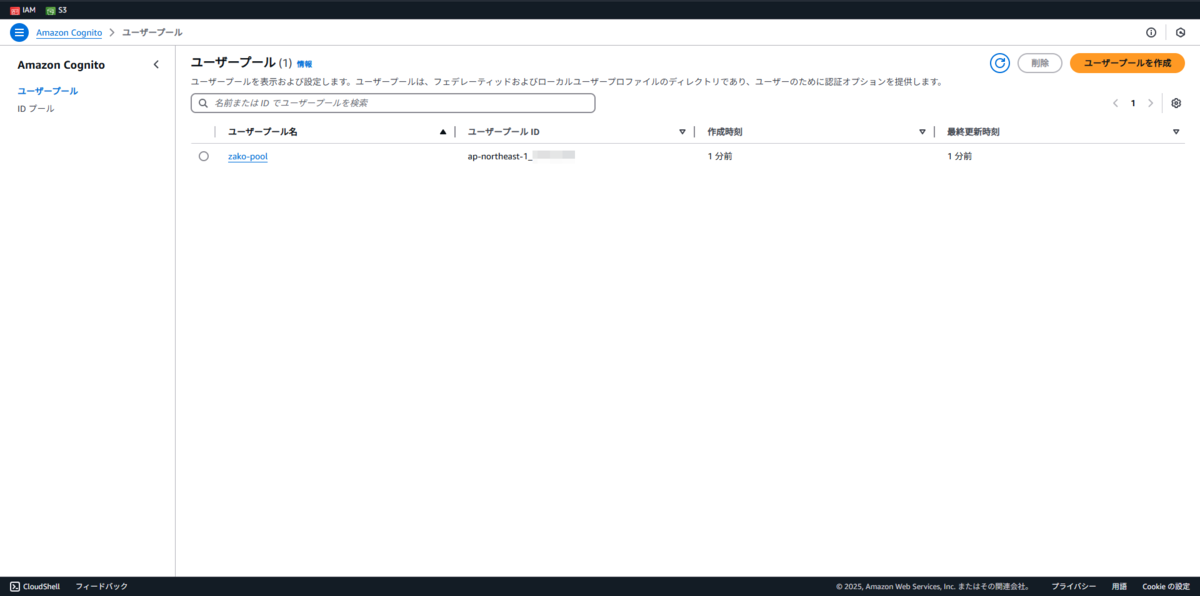
aws_cognito_user_pool.pool: Creation complete after 2s [id=ap-northeast-1_*********]
aws_cognito_user_pool_client.client: Creating...
aws_cognito_user_pool_client.client: Creation complete after 0s [id=**************************]

Apply complete! Resources: 2 added, 0 changed, 0 destroyed.
terraform destroy
terraform destroyデプロイしたものを消すコマンド
$ docker compose run --rm terraform destroy
aws_cognito_user_pool.pool: Refreshing state... [id=ap-northeast-1_*********]
aws_cognito_user_pool_client.client: Refreshing state... [id=**************************]

Terraform used the selected providers to generate the following execution plan. Resource actions are indicated with the following symbols:
  - destroy

Terraform will perform the following actions:

~省略~

Plan: 0 to add, 0 to change, 2 to destroy.

Do you really want to destroy all resources?
  Terraform will destroy all your managed infrastructure, as shown above.
  There is no undo. Only 'yes' will be accepted to confirm.

  Enter a value: yes

aws_cognito_user_pool_client.client: Destroying... [id=**************************]
aws_cognito_user_pool_client.client: Destruction complete after 1s
aws_cognito_user_pool.pool: Destroying... [id=ap-northeast-1_*********]
aws_cognito_user_pool.pool: Destruction complete after 0s

Destroy complete! Resources: 2 destroyed.
まとめ
完全理解した!(使えない)


次回の関連記事
